Google Business Profile: a complete checklist for 2026
Short answer: Claim and verify the profile in your own Google account. Use your real business name, the fewest accurate categories, a correct address or service area, true hours, your own phone and website, and good photos. Then reply to reviews and check every detail monthly, because Google says complete, accurate information helps local results.
What is a Google Business Profile, and why does it matter?
It is the free listing that shows your business on Google Search and Maps. For many local searches, it is the first thing a customer sees, before your website.
The profile carries your name, address, hours, phone number, photos and reviews. A customer can call, get directions or visit your site in one tap. If those details are wrong, you lose the visit, often without knowing it.
This checklist sticks to what Google's own help pages say, as of October 2026. Features change, so check the Google Business Profile Help Centre when a field looks different from what is described here.
How does Google decide which local businesses to show?
Google's help page on local ranking names three main factors: relevance, distance and prominence. You control the first and third more than the second.
Here is what Tips to improve your local ranking on Google says, as of October 2026.
- Relevance is how well your profile matches what someone searched for. Complete, detailed information helps Google understand your business.
- Distance is how far you are from the searcher, or from the location in the search.
- Prominence is how well known your business is. Google says reviews, ratings and links to your business from around the web play a part.
The same page says you cannot pay or ask Google for a better local ranking. That is a useful filter when someone promises "guaranteed top three on Maps". Nobody can promise that honestly.
What should you sort out before you edit anything?
Make sure the profile is claimed, verified and owned by your business. Everything else depends on this.
- Ownership: the primary owner should be a Google account the business controls, not a staff member's personal email.
- Verification: Google's local ranking page lists verification among its tips. Finish verification before you spend time polishing.
- Access: give your agency or staff their own access, rather than sharing your login. Remove people who have left.
- Duplicates: search for your business name on Maps. If two listings exist for one location, the guidelines say each location should have only one profile.
What does the full checklist look like?
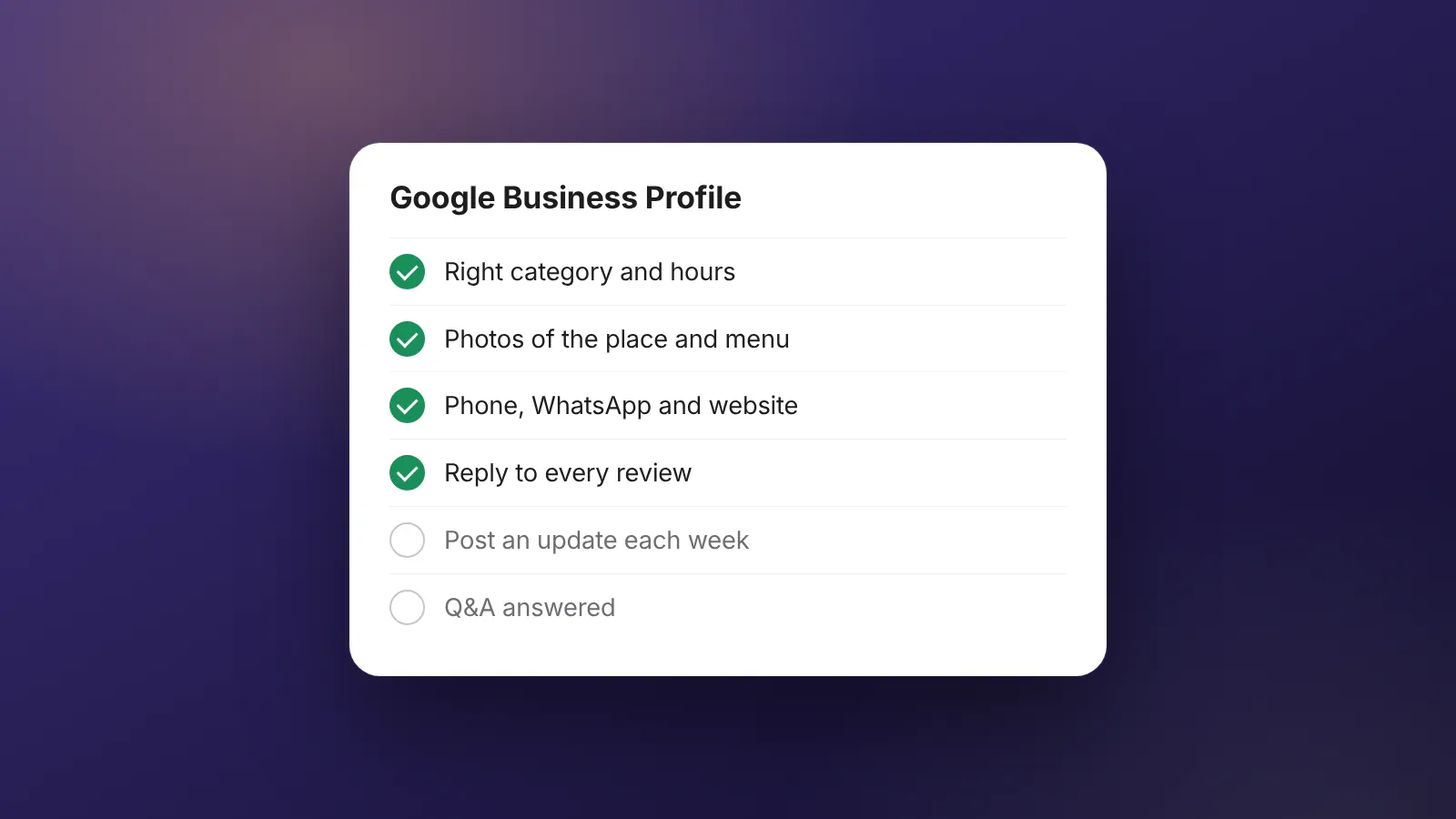
Work through the table once in full, then keep the "how often" column as your routine. Each line is a check on your own information, not a trick.
| Item | What to check | How often |
|---|---|---|
| Business name | Matches your signboard and branding, with no extra keywords or city names | Once, then on any rebrand |
| Primary category | The single category that best describes your core business | Once a year |
| Extra categories | Only add ones that are true; fewer is better | Once a year |
| Address or service area | Real location customers visit, or a service area if you go to them | On any move |
| Hours | Regular hours match the door; holiday hours updated before each festival or closure | Monthly |
| Phone number | Rings your business directly, answered during listed hours | Monthly |
| Website link | Points to your own site, loads fast on mobile, matches the profile details | Monthly |
| Description | What you do and for whom, in plain words; no links, no prices or promotions | Twice a year |
| Photos | Recent, real photos of the outside, inside, team at work and products | Monthly |
| Reviews | Every new review read and replied to, politely and briefly | Weekly |
| Consistency | Name, address and phone match your website and major directories | Twice a year |
How should you write the name, categories and description?
Keep them literal. Google's guidelines for representing your business are strict here, and breaking them can lead to suspension.
Business name
The guidelines say the name should match your real-world name, as used on your signage and stationery. Adding taglines, keywords, locations or opening hours to the name is not allowed. "Sea Breeze Cafe" is fine. "Sea Breeze Cafe Best Coffee Bandra Open 24 Hours" is not.
Categories
Google advises choosing the fewest categories that describe your core business. Categories are not keywords. A dental clinic should not add "teeth whitening" as a category just to appear for that search.
Description
Describe what you offer, who it is for and anything useful about your history. The guidelines do not allow links in the description, and it should not focus on promotions or prices. Write it the way you would explain your business to a new customer on the phone.
Address or service area
If customers come to you, list the real address. If you visit customers, such as a plumber or caterer, the guidelines say to hide the home address and set a service area instead.
How should you handle photos and reviews?
Treat both as ongoing work, not a one-time upload. Google's local ranking page specifically recommends adding photos and responding to reviews.
Photos: add real, recent images. Customers want to see the entrance, the space, the food or products, and the people. Avoid stock photos. They tell a customer nothing true about your place.
Reviews: reply to every review, good and bad. Keep replies short, specific and calm.
- Thank happy customers by mentioning something they liked.
- For complaints, apologise for the experience, avoid arguing, and offer a phone number or email to resolve it.
- Never post fake reviews or pay for them. Google's policies prohibit both.
Worked example (example numbers): a salon gets 24 new Google reviews in a month.
At about 3 minutes per thoughtful reply, that is 24 x 3 = 72 minutes a month.
Add 30 minutes to upload 8 new photos and 15 minutes to check hours and links.
The monthly routine is 72 + 30 + 15 = 117 minutes, a little under 2 hours.
These are example numbers to help you plan time, not a benchmark.
Two hours a month is a small cost for the listing that often brings the most calls. Put it in someone's calendar so it actually happens.
How does your profile connect to your website and AI search?
Your profile and website should tell the same story. If the name, address, phone or hours differ, customers get confused and Google has less reason to trust either.
Check that your site shows the same details in plain text, ideally on the contact page and in the footer. The link from your profile should land on a page that loads quickly on mobile. Our guide on website speed for ads covers the main fixes.
AI search tools also draw on public information about local businesses. Google's page on AI features and your website says the usual SEO basics apply, as of October 2026. There is no special file or markup you need to add for them. Our guides on AI search optimisation and getting recommended by ChatGPT go further.
What mistakes get profiles suspended or ignored?
Most problems come from trying to game the listing. A few common ones:
- Stuffing keywords or city names into the business name.
- Listing a mailbox or virtual address where you do not meet customers.
- Creating several profiles for one location.
- Using a call-tracking or landing-page link that hides your real business.
- Buying reviews or swapping reviews with other businesses.
- Letting an ex-employee or old agency keep sole ownership.
If you run a restaurant, our local SEO checklist for restaurants in India adds menu, delivery and festival-season points on top of this list.
Can WebMaxs look after your profile?
Yes, as part of local SEO work. We audit the profile against this checklist, fix what is wrong and set up a simple monthly routine. We cannot promise rankings, and Google says nobody can. See our SEO service for what is covered. SEO can be added to any monthly plan on our pricing page; ask on your call.
Frequently asked questions
Can I use a co-working space or virtual office address?
Google's guidelines say the profile must match a real place where you serve customers, and mailboxes at remote locations are not acceptable. Shared spaces are a grey area, so read the current guidelines before you list one. If in doubt, run the profile as a service-area business instead.
Can I pay Google to rank higher on Maps?
No. Google's help page on local ranking says you cannot request or pay for a better local ranking. You can buy ads, but those are labelled as ads and sit apart from the free listings.
Should I ask customers for reviews?
Yes, ask every happy customer in a simple, honest way, for example with a short link after a visit. Do not offer discounts or gifts in return, and never write reviews yourself. Fake or paid reviews break Google's policies and can get the profile restricted.
How long before changes show up?
Edits can take some time to appear, and Google may review them first. New profiles can also take a while to rank. Make your changes, note the date, and check again after a few weeks rather than editing the same field repeatedly.
Do I need a website if I have a Business Profile?
You do not need one to create a profile, but a fast website gives Google and customers more to go on. It also gives you a page you own for ads, offers and bookings. Make sure the details on both match exactly.
Sources
- Google Business Profile Help: Guidelines for representing your business on Google
- Google Business Profile Help: Tips to improve your local ranking on Google
- Google Search Central: AI features and your website
Platform rules change. Check the official pages before you launch.
Want this done for your brand?
See how WebMaxs handles SEO, or tell us about your business and we will bring three ideas and a free sample ad to the call.