Meta Pixel and Conversions API: what a small business actually needs
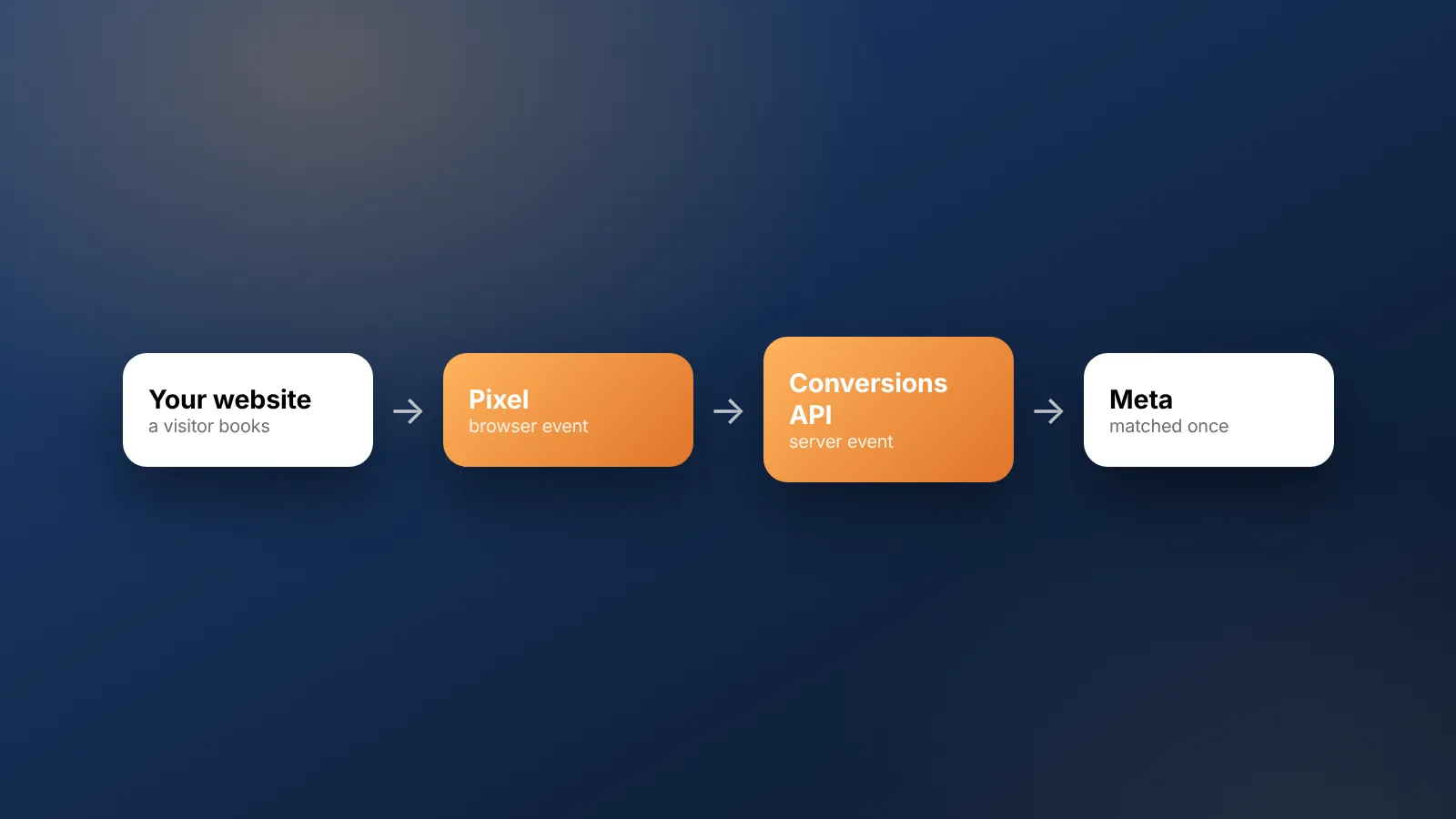
Short answer: Most small businesses should start with the Meta Pixel and a few key events, such as leads or purchases. Add the Conversions API next, so events also reach Meta from your server or CRM. Send a shared event ID from both so each action counts once, and respect visitors' consent choices.
What is the Meta Pixel?
The Meta Pixel is a short piece of code on your website. It reports actions people take there, such as viewing a page or submitting a form, back to Meta from the visitor's browser.
Meta uses these reports in two ways. It shows you which ads led to results. It also learns which kinds of people take those actions, so it can show your ads to more people like them.
The pixel only sees what happens in the browser. If a browser blocks it, or the visitor declines tracking, that action is not reported.
What is the Conversions API?
The Conversions API sends the same kinds of events to Meta from your server or another system. It does not rely on the visitor's browser. That system might be your website's backend, your shop platform or your CRM.
Because it does not depend on the browser, it can report actions the pixel misses. It can also report things that never happen on your website, such as a lead becoming a customer after a phone call.
The exact setup options change over time. Check the current choices in Meta Events Manager, or ask your website platform which connection it supports.
Do you need both?
For most businesses running ads regularly, yes, eventually. The pixel is the quick start, and the Conversions API fills its gaps.
| Meta Pixel | Conversions API | |
|---|---|---|
| Where it runs | In the visitor's browser | On your server, platform or CRM |
| Effort to set up | Low, often a plugin or a pasted code | Medium, often needs a platform connection or a developer |
| Can be blocked by the browser | Yes | No, it does not run in the browser |
| Can send offline events (calls, store visits, CRM stages) | No | Yes |
| Best for | Getting started, page and form actions | Filling gaps, sales that finish offline |
If you spend very little and get few results, the pixel with good events may be enough for now. Add the Conversions API when budgets grow or when the sale happens off your website.
What should you set up first?
Set up in this order, and test each step before moving to the next.
- Ad account and business account in your own name. Give your agency access, not ownership.
- Pixel on every page, with page views tracked.
- Your one or two key events, such as a lead or a purchase, on the confirmation step.
- A cookie consent banner if your audience or laws require it.
- The Conversions API, sending the same key events, with deduplication in place.
- Offline or CRM events, if your sale happens by phone, WhatsApp or in person.
Do not track twenty events on day one. A few accurate events are worth more than many messy ones.
Which events should a small business track?
Track the actions that mean money, plus one or two steps just before them. Ignore the rest until those are reliable.
- Lead businesses such as clinics, real estate and services: form submitted, call button tapped, WhatsApp button tapped, then "qualified" and "sale" from your CRM.
- Ecommerce: product viewed, added to cart, checkout started, purchase with order value.
- Hotels and restaurants: booking started, booking completed with value, reservation enquiry.
Fire the key event on the "thank you" or confirmation step, not when someone lands on the form. Otherwise you count visits as results.
Make sure the pages load quickly too. A slow form loses people before any event fires. Our post on website speed for ads covers this.
How does deduplication work?
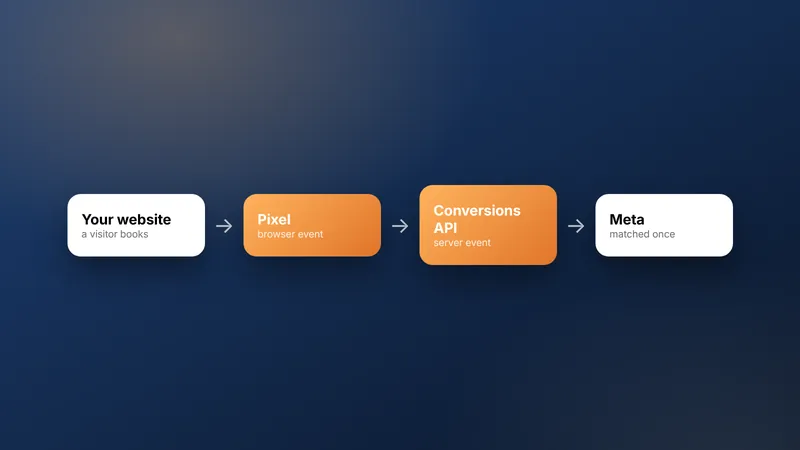
When the pixel and the Conversions API both report the same action, Meta needs a way to tell it is one action, not two. Deduplication is that matching step.
In principle, both sources send the same event name and a shared event ID for each action. Meta can then keep one copy. Without it, results can be double-counted and your cost per result looks better than it is.
Ask whoever sets up your tracking to confirm deduplication is working. Then check it in Events Manager after launch.
Worked example (example numbers): A shop spends ₹49,000 on ads and gets 100 real purchases. The true cost per purchase is ₹490.
The pixel records 80 purchases, because some browsers block it. The Conversions API records 95.
Of these, 77 are recorded by both, 3 only by the pixel and 18 only by the server, so 98 unique purchases are seen.
With deduplication, Meta counts 98, and cost per purchase shows as ₹500, close to the truth.
Without deduplication, it counts 80 + 95 = 175, and cost per purchase shows as ₹280, far too good.
With the pixel alone, it counts 80, and cost per purchase shows as ₹612.50, too pessimistic.
These figures are only for illustration. Real match rates vary by website, audience and setup.
Where does consent fit in?
Tracking should follow your visitors' choices. If someone declines tracking cookies on your site, your tags should respect that.
Rules differ by country. If you sell to the UK, the EU or other markets, check what each requires and take legal advice if unsure. Use a cookie consent banner that actually controls which tags load, not one that only shows a message.
Google has a similar idea called consent mode, which changes how Google tags behave based on the visitor's choice. The principle is the same across platforms: ask first, record the answer, and let it control tracking.
Consent also matters beyond your website. If you follow up leads on WhatsApp, Meta's documentation on getting opt-in for WhatsApp explains how to get permission before messaging. The WhatsApp Business Platform is Meta's product for this kind of messaging, and our post on WhatsApp lead follow-up covers the process.
How do you check it is working?
Test every event yourself before you spend money. Then compare Meta's numbers with your own records every month.
- Submit a test lead or order and confirm it appears in Events Manager.
- Check that the event appears once, not twice.
- Compare monthly results in Meta with your CRM or shop orders.
If you would rather hand this over, our Meta and Google ads service covers campaign management, with the ad account kept in your name. Plans and prices are on our pricing page.
Frequently asked questions
Do I need a developer to set this up?
Not always. Many website builders and ecommerce platforms offer a built-in connection to Meta. A custom website or a CRM connection usually needs some developer time, so plan for it.
Will tracking slow down my website?
A badly added tag can. Load tracking scripts carefully, avoid adding the same tag twice, and test page speed after any change. Server-side events do not run in the visitor's browser.
Can I track leads that come in by phone or WhatsApp?
Yes, if they are recorded somewhere you can send events from, usually a CRM. Log the lead with its ad source, then send a 'qualified' or 'sale' event back when it moves forward.
What if my numbers in Meta do not match my sales records?
Some gap is normal, because of consent choices, blocked browsers and different attribution rules. Use your own records as the truth for business decisions. Use Meta's numbers to compare ads and campaigns with each other.
Should the pixel sit in my ad account or the agency's?
Keep the pixel and the ad account in your own business's name. Give your agency access, not ownership. That way your tracking history stays with you if you change agencies.
Sources
Platform rules change. Check the official pages before you launch.
Want this done for your brand?
See how WebMaxs handles Meta and Google ads, or tell us about your business and we will bring three ideas and a free sample ad to the call.