What is llms.txt, and should your website have one?
Short answer: llms.txt is a proposed plain-text Markdown file at the root of a website. It gives AI tools a short summary of the site and links to its most useful pages. It is a proposal, not an official standard, and support varies. It is cheap to add, but your website and listings matter more.
What is llms.txt?
llms.txt is a proposed text file that sits at the root of a website, at an address like yoursite.com/llms.txt. It gives AI tools a short, plain summary of the site and points them to the most useful pages.
The idea is set out at llmstxt.org. The thinking is simple. Websites are built for people, with menus, banners and scripts. An AI tool has to dig through all that to find the facts. A short summary file could save it the effort.
The name follows older files like robots.txt. "LLM" stands for large language model, the kind of AI behind tools like ChatGPT.
What goes inside an llms.txt file?
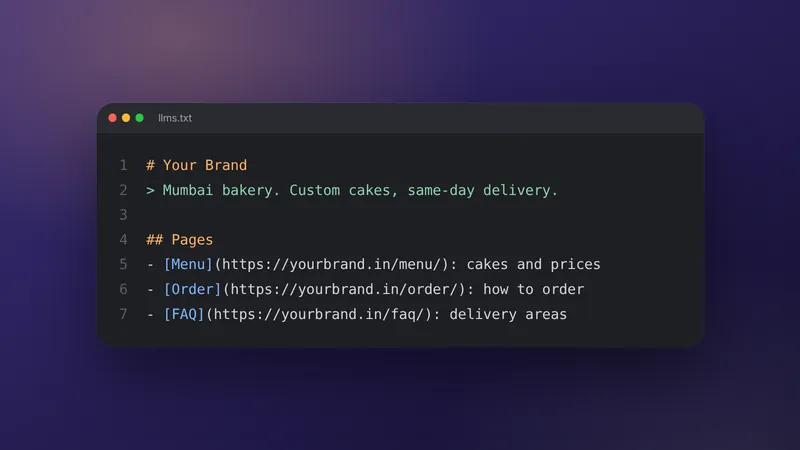
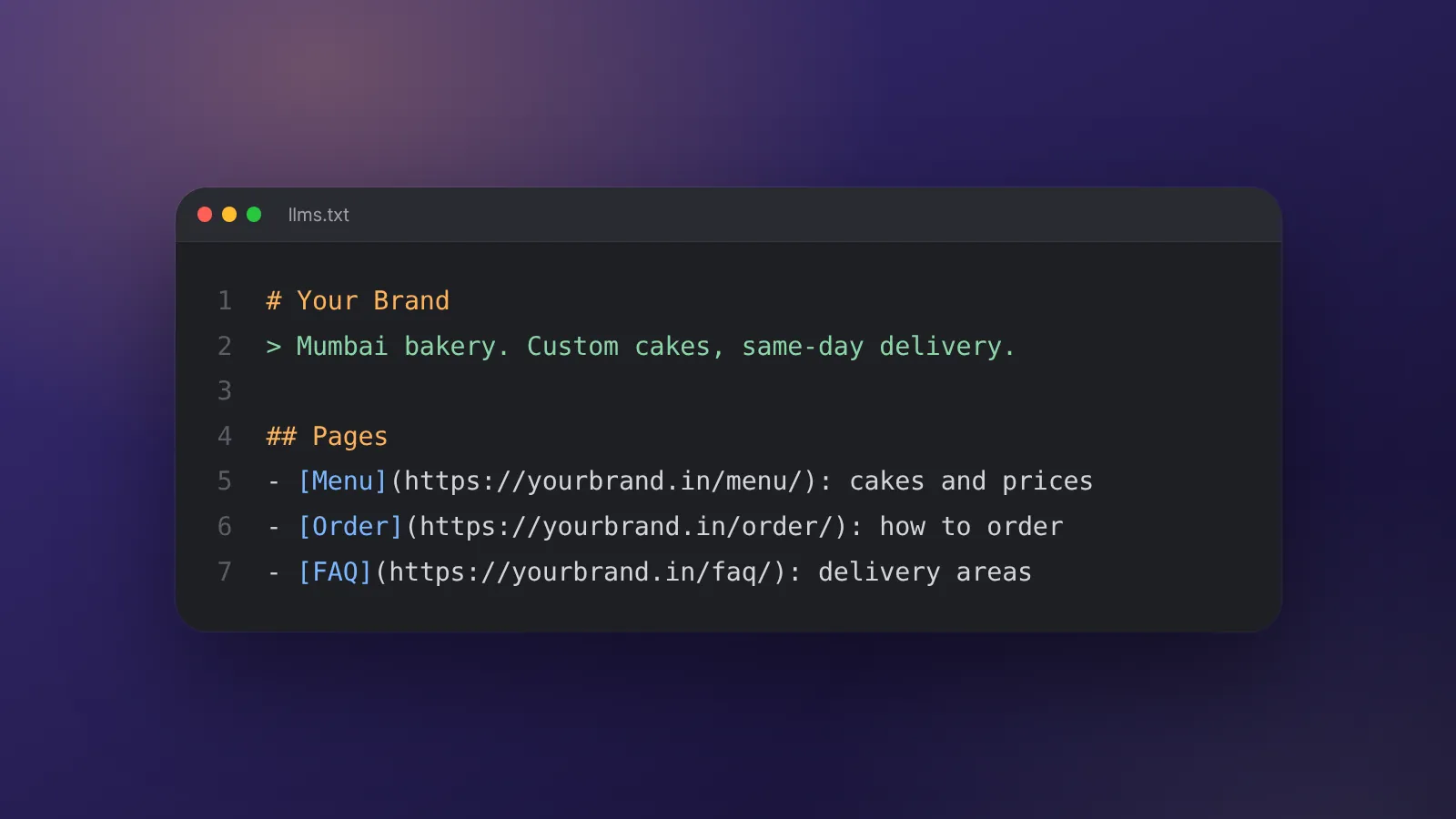
It is written in Markdown, the simple formatting used for headings and lists. In practice, a file usually has a title, a one-line summary and lists of links with short descriptions.
Our own file at webmaxs.in/llms.txt is a working example. It has:
- A heading with the business name.
- A short quoted summary of what WebMaxs does and where it works.
- Sections such as Services, Industries and Company.
- Under each section, a list of links, each with a one-line description.
Check the proposal at llmstxt.org for the current format before you write yours. Proposals can change, and it is better to follow the source than a copy.
Is llms.txt an official standard?
No. It is a proposal. No standards body has adopted it, and support from AI companies varies.
We have not seen a source we can point to that confirms how any specific AI company uses llms.txt. So we will not tell you that ChatGPT, Gemini or Google reads it. If an agency tells you otherwise, ask for the company's own documentation.
For Google's AI features, the guidance to follow is Google's own page on AI features and your website. Do not assume llms.txt plays a part unless Google says so.
How is it different from robots.txt and sitemap.xml?
They do different jobs. robots.txt sets crawling rules, a sitemap lists pages, and llms.txt summarises the site for AI tools.
| File | Main job | Who it is for | Status |
|---|---|---|---|
| robots.txt | Tells crawlers which areas they may or may not crawl | All crawlers that respect it | Long-established and widely used |
| sitemap.xml | Lists the pages you want search engines to find | Search engines | Long-established and widely used |
| llms.txt | Summarises the site and links key pages in plain text | AI tools | A proposal; support varies |
llms.txt does not block or allow anything. If you want to control crawling, that still happens in robots.txt.
Should your website have one?
It is a reasonable small step for most business websites, as long as you keep it accurate. It costs little, but the benefit is uncertain.
Add one if:
- You have a clear set of services, prices or locations to summarise.
- Someone can keep it updated when the site changes.
- Your basics are already in place: a fast site, clear pages and an accurate Google Business Profile.
Leave it for later if:
- Your website itself is out of date or incomplete.
- Nobody owns the job of updating it.
- You are paying an agency extra just for this file.
How do you create one?
You can write a first version in an hour or two. Here is a simple process.
- List your key pages. Home, services, pricing, locations, contact and your most useful guides.
- Write a one-line summary of the business. Use the same description you use on your site and listings.
- Group the pages under short headings like Services, Locations and Help.
- Write one honest line per page. Say what the page covers, without slogans.
- Save it as llms.txt and publish it at the root of your domain.
- Open it in a browser to check it loads as plain text.
- Set a reminder to review it when pages or prices change.
A few mistakes to avoid:
- Listing private, test or thank-you pages that customers should not land on.
- Copying marketing slogans instead of plain facts.
- Stating prices or offers that differ from your website.
- Linking pages that redirect or no longer exist.
If your site is built on a platform that does not allow root files, ask your developer. Our website team can add it during a build or update.
How much time does it take to maintain?
Not much, if your site is stable. The real cost is keeping it accurate over time.
Worked example (example numbers): A small hotel's site has 30 public pages worth listing.
Writing a one-line description for each takes about 2 minutes, so 30 × 2 = 60 minutes.
Adding a summary, grouping and a final read-through takes another 30 minutes.
The first version therefore takes 60 + 30 = 90 minutes, or one and a half hours.
Reviewing it 4 times a year at 20 minutes each adds 4 × 20 = 80 minutes a year.
These are example numbers. Your time depends on the size of your site.
Compare that with the effort of fixing your main pages and listings. Those usually deserve the first hours.
What should you do before llms.txt?
Fix the information AI tools are most likely to read anyway. That means your website and your public listings.
Start with clear service pages, accurate hours and contact details, structured data, and a complete Google Business Profile. Then add genuine reviews and answer-style pages. Our guide to AI search optimisation covers this order, and our post on Google AI Overviews covers Google specifically.
If you want help, our AI search optimisation service includes llms.txt as one small part of the work. It can be added to any WebMaxs monthly plan; ask on your call. Plan prices are on our pricing page.
Frequently asked questions
Will llms.txt make ChatGPT recommend my business?
Nobody can promise that. The file can make your key facts and pages easier to find, but each AI company decides how its tools build answers. Treat it as a small extra, not a ranking lever.
Can llms.txt hurt my SEO?
We see no reason it should, as long as it is accurate and only links to public pages. It is a separate file that people do not normally visit. Keep it truthful and in line with your website.
Can I use llms.txt to stop AI tools using my content?
No. llms.txt is a summary that points tools towards content. Controls over crawling sit in robots.txt and in each company's own documentation, so check those if you want to limit access.
How often should I update llms.txt?
Whenever your services, prices, locations or main pages change, and at least every few months. An outdated file is worse than none, because it spreads old facts.
Do I need a developer to add it?
Not always. It is one text file placed at the root of your domain. On some website builders you may need a developer or a plugin to put a file at that exact address.
Sources
- llmstxt.org: The /llms.txt file proposal
- WebMaxs: llms.txt (example file)
- Google Search Central: AI features and your website
Platform rules change. Check the official pages before you launch.
Want this done for your brand?
See how WebMaxs handles AI search optimisation, or tell us about your business and we will bring three ideas and a free sample ad to the call.